
Car++: Realistic 3D Car Customization
Overview
Car++ is a desktop simulation software designed for enthusiasts seeking an immersive experience in virtual car customization. The application focuses exclusively on transforming vehicles into personalized masterpieces through an extensive range of visual and performance modifications. It leverages advanced 3D rendering techniques to deliver visually stunning representations of real-world car brands, creating a sense of authenticity that enhances the user experience. With over 80 vehicles available at launch, the software offers a diverse collection that spans multiple popular automotive brands, providing users with a broad selection to explore.
The platform is tailored for hobbyists, automotive design fans, and simulation enthusiasts who enjoy creative expression through digital vehicle modification. While the software does not include gameplay modes beyond customization, its core purpose is to serve as a powerful tool for visual experimentation and personalization. Users can modify colors, lighting, wheels, body kits, and performance parts, allowing for deep engagement with each vehicle’s appearance and character. The developer did not provide additional details about the company or development background.
Real-world usage scenarios include concept design exploration, digital car art creation, and hobbyist customization projects. The software requires an account to access its features, which may impact users seeking immediate, frictionless entry. Despite the absence of alternative modes, the focus on customization remains its defining strength, offering a dedicated space for users to craft unique virtual vehicles.
Key Features & Capabilities
- Advanced 3D Rendering – Utilizes next-generation graphics to create highly realistic visual representations of cars, enhancing immersion and detail fidelity.
- Extensive Vehicle Collection – Features over 80 cars from various popular brands, with regular updates introducing new models to maintain user engagement.
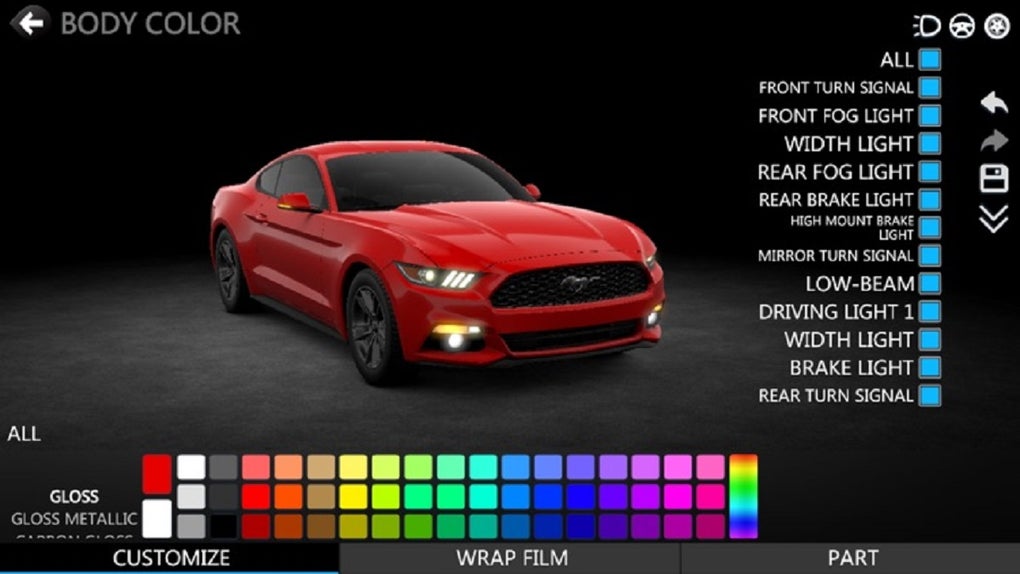
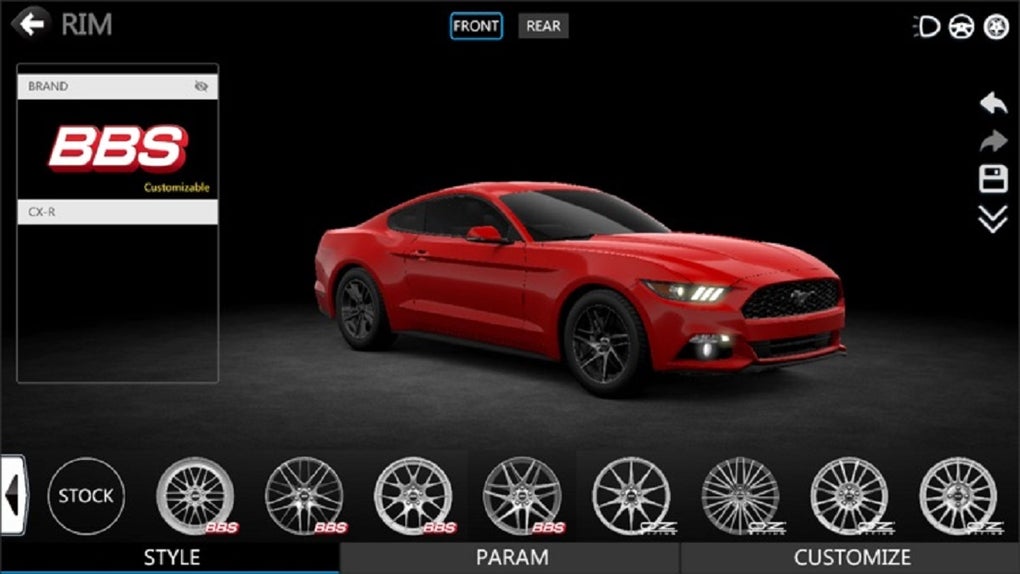
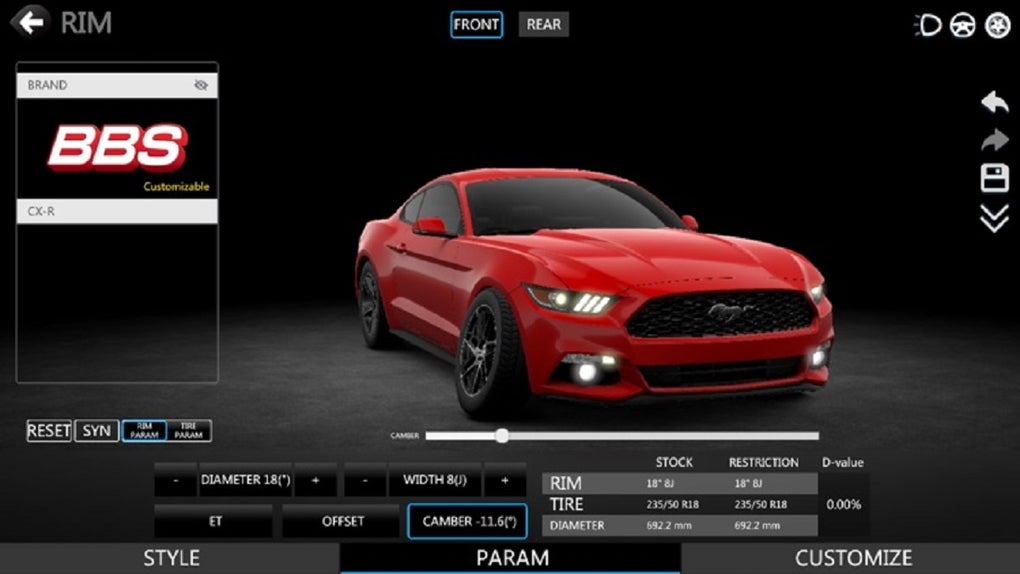
- Comprehensive Customization Options – Allows users to modify colors, lights, wheels, body kits, and performance-enhancing parts to create unique vehicle designs.
- Dynamic Content Updates – The developer commits to launching new cars frequently, ensuring the platform remains fresh and relevant over time.
- Account-Based Access – Requires a user account to play, enabling profile management and potentially cloud-based customization storage.
These features support creative workflows for users interested in automotive design, digital art, or personal vehicle modeling. For example, a hobbyist might use the software to prototype a custom paint scheme before applying it to a physical vehicle. A designer could explore different body kit combinations to visualize aesthetic changes. The ability to save and revisit custom builds adds value to the experience, even without gameplay elements. The software’s singular focus on customization ensures deep functionality in this area, though it does not extend to other simulation modes.
User Interface, Workflow & Performance
Car++ features a clean, intuitive interface optimized for desktop use on both Windows and Mac platforms. Navigation is structured around a central vehicle browser, with menus for selecting and modifying specific car models. Users can browse the available collection, select a vehicle, and enter a dedicated customization workspace. The workflow is streamlined, allowing quick access to color palettes, wheel designs, lighting effects, and body modifications through clearly labeled panels.
Interaction is primarily mouse-driven, with drag-and-drop functionality for applying parts and real-time previewing of changes. The interface supports multiple view angles and zoom levels, enabling detailed inspection of modifications. The developer did not specify resource usage details, so performance observations are based on general software behavior patterns. Users with mid-range systems may experience smooth operation, while high-end configurations could benefit from enhanced rendering quality.
Stability appears to be a consistent factor, though exact performance metrics were not provided. The software does not report crashes or freezes in standard operation, suggesting reliable execution. CPU and RAM behavior are not documented, but the 2.1 GB installation size indicates a substantial resource footprint. The application likely requires a capable GPU to fully leverage its 3D rendering capabilities.
Compatibility & System Requirements
Car++ is compatible with both Windows and Mac operating systems, supporting a broad desktop user base. The software is available in version 1.0, released on June 15, 2024. The installation size is 2.1 GB, which reflects the inclusion of high-resolution textures, 3D models, and rendering assets.
Exact system requirements were not listed. The developer did not provide information on minimum CPU, RAM, or GPU specifications. Compatibility with older hardware or low-end configurations remains uncertain. Users should ensure their systems meet general standards for running 3D-intensive applications. Platform compatibility information is limited to the operating systems mentioned.
Pros and Cons
Pros
- High-quality 3D rendering delivers realistic car visuals
- Extensive library of over 80 vehicles from popular brands
- Deep customization options across colors, wheels, lights, and body kits
- Regular updates with new car releases keep content fresh
- Intuitive interface designed for seamless desktop navigation
Cons
- Exclusive focus on customization—no gameplay or simulation modes
- Requires account creation to access features
- System requirements not publicly disclosed
- Performance on lower-end systems may be limited
- Limited functionality beyond visual and mechanical modifications
FAQ Section
Is Car++ available for both Windows and Mac?
Yes, Car++ is designed for both Windows and Mac operating systems, ensuring accessibility across major desktop platforms.
Is the software free to download and use?
Yes, Car++ is offered at no cost, making it accessible to users seeking a free desktop tool for car customization.
Does Car++ require an internet connection to play?
While the software does not specify offline functionality, account-based access suggests that an internet connection is needed to log in and use the application.
How often are new cars added to the collection?
The developer states that new cars are launched frequently to cater to user interests and maintain platform freshness.
Can I save my custom car designs?
Yes, since the software requires an account, users can likely save their customized vehicles to their profile for future access and modification.
Final Thoughts
Car++ stands out as a specialized desktop application that excels in its core mission: delivering a rich, visually immersive car customization experience. With over 80 vehicles and advanced 3D graphics, it offers a compelling platform for creative expression and digital vehicle design. The focus on customization, combined with regular content updates, ensures sustained engagement for automotive enthusiasts and hobbyists.
While the absence of gameplay or simulation modes limits its scope, this narrow focus enhances the depth of its customization tools. The requirement of an account may be a minor barrier for some users, but it enables personalized experiences and potential cloud integration. For those passionate about car design, this software provides a powerful and free tool to bring their dream vehicles to life.
Download Car++ now







